Areas help you with the trigger actions, and allow you to create triggers that perform actions based on specific areas of your map.
An example of this might be to complete a mission when a players unit moves into an area of the map.
 To create a new Area click on the New Area item and drag and drop it onto the map. You can change the size of the area by dragging the corners of the area.
This screen shot shows two seperate areas named 'MessageArea' and 'ActionArea'.
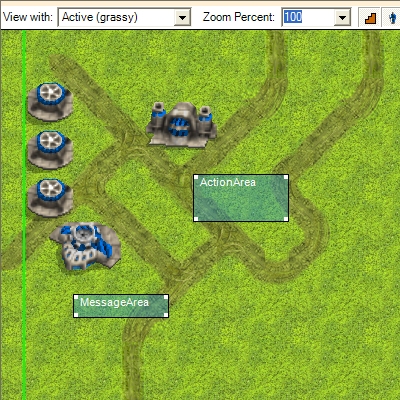
Click here to see the areas used in a demostration mission.
NOTE : There is a maximum limit of 32 areas.